
Showcase
Why Every Business Driver Needs a Mileage Tracker And How Milelify Makes It Effortless

If you drive for work, whether as a freelancer, sales representative, real estate agent, or small business owner, you are likely leaving thousands of dollars on the table every year. The IRS standard mileage rate for 2025 was 70 cents per mile, according to the IRS official announcement. That means every untracked business mile is money you cannot claim back. Yet studies show that most business drivers still rely on manual logs or worse, memory to record their mileage. The result? Inaccurate records, missed deductions, and potential audit headaches.
This is exactly the problem Milelify was built to solve a free, GPS-powered mileage tracking app designed specifically for business drivers who need accuracy without complexity.
The Hidden Cost of Not Tracking Your Mileage
According to research from Everlance, the average business driver travels between 15,000 and 20,000 miles per year for work. At the current IRS rate, that translates to $10,500–$14,000 in potential deductions. Without a reliable tracking system, drivers typically forget to log 20-40% of their trips, directly reducing their tax savings.
Beyond tax deductions, accurate mileage records matter for employer reimbursement programmes, fleet management compliance, and audit defence. The challenge has always been finding a solution that works quietly in the background without requiring drivers to remember yet another task at the end of a long day.
What Makes Milelify Different From Other Mileage Trackers
The market has several mileage tracking options apps like MileIQ and Everlance have been around for years. However, many drivers find these tools either too expensive for basic needs, overly complicated with features they do not use, or unreliable with background GPS tracking on modern Android devices.
Milelify takes a different approach by focusing on what matters most: reliable GPS tracking that actually works when you close your app or turn off your screen. Here is what sets it apart.
True Background GPS Tracking That Keeps Running
One of the biggest frustrations with mileage tracking apps on Android is that they stop recording when the phone screen turns off or the app is closed. Modern Android versions aggressively kill background processes to save battery. Milelify solves this with a dedicated foreground service architecture, your trip recording continues accurately even when your phone is in your pocket. A persistent notification keeps you informed that tracking is active, and you can end your trip directly from the notification without reopening the app.
Automatic Odometer Tracking
Unlike most mileage apps that only track GPS distance, Milelify mileage tracker also maintains a running odometer for each vehicle. When you end a trip, the odometer updates automatically. This provides a complete vehicle history that is particularly valuable for fleet managers, company car drivers, and anyone who needs to reconcile GPS-tracked distances with physical odometer readings.
Business and Personal Trip Classification
Every trip can be classified as Business or Personal, and Milelify lets you set a default so most trips are categorised automatically. For business trips, you can assign a workplace destination from your saved locations, making end-of-year reporting straightforward. This classification system aligns with what tax authorities typically require, as outlined in the IRS Publication 463 on travel expenses.
Smart Battery and Power Saver Detection
A unique feature that most tracking apps overlook is power saver mode detection. When your Android phone enters Battery Saver or Power Saving mode, it throttles GPS accuracy and background processes silently ruining your mileage data. Milelify actively detects when power saving mode is enabled and warns you before starting a trip. It also monitors for changes during an active trip, alerting you with a notification if power saving kicks in so you can disable it and maintain tracking accuracy.
Who Benefits Most From Automated Mileage Tracking
While virtually any business driver can benefit from a mileage tracker, certain groups see the biggest impact.
- Freelancers and self-employed professionals who need to maximise every deduction to reduce their tax burden.
- Sales teams and field workers who drive to client meetings, properties, or job sites throughout the day.
- Rideshare and delivery drivers who accumulate significant business miles across platforms.
- Small business owners who need simple, accurate records without investing in expensive fleet management software.
- Company car drivers required to report business versus personal usage to their employer.
The Small Business Administration recommends keeping detailed records of all business expenses, and mileage is one of the most commonly overlooked categories.
Getting Started With Milelify
Setting up Milelify takes less than two minutes. After downloading the app and creating an account, you add your vehicle, set your preferred distance unit (miles or kilometres), choose your default trip type, and you are ready to go. The app walks you through essential permissions location access, background activity, and notifications with a guided setup wizard that explains why each permission matters.
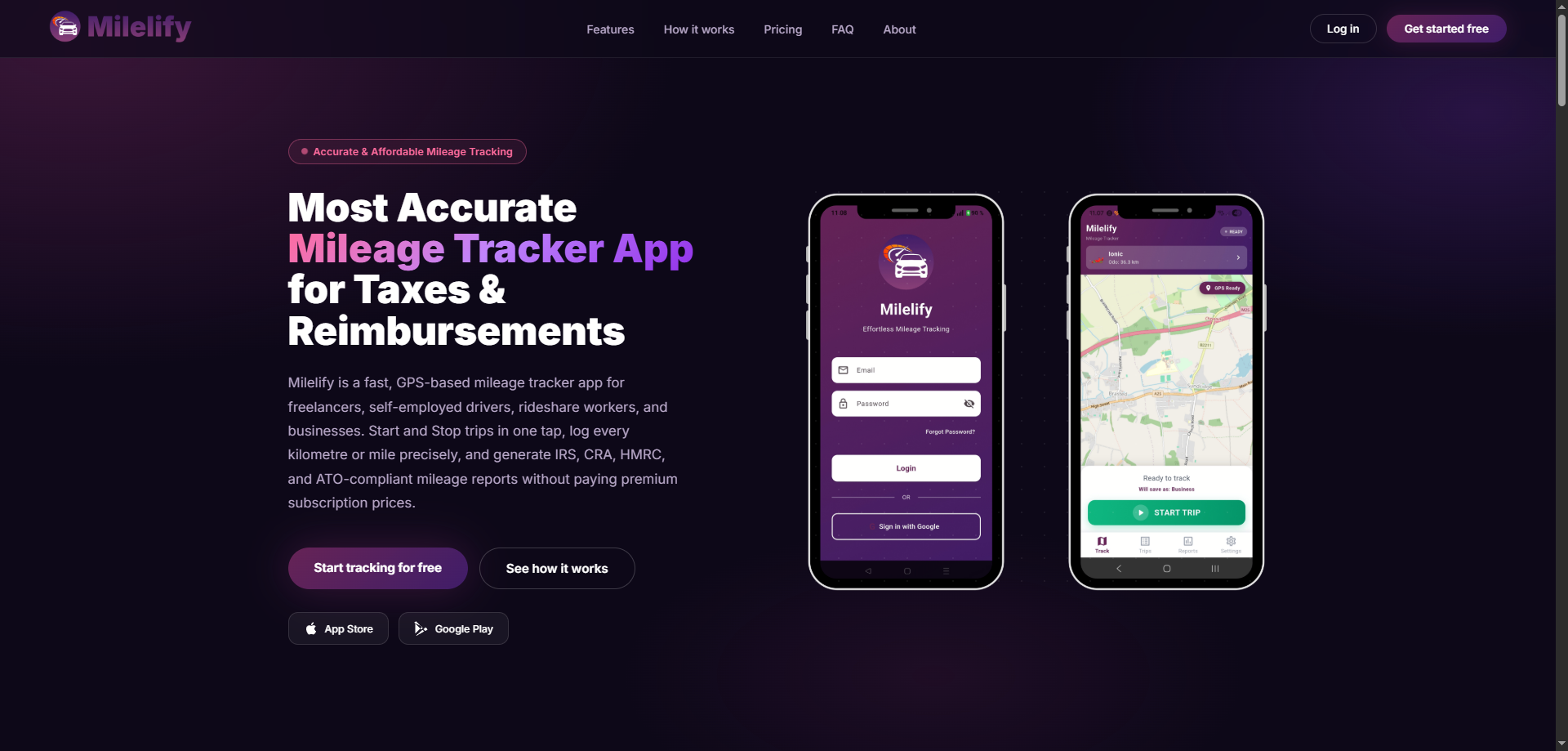
When you are ready to drive, simply tap Start Trip. Milelify locks onto your GPS position, begins recording your route, and displays real-time statistics including distance, speed, elapsed time, and odometer. A live map shows your route as it unfolds. When you arrive at your destination, tap End Trip, the journey is saved automatically with start and end addresses, distance, duration, and trip classification.
Free Plan vs. Milelify PRO
Milelify operates on a freemium model. The free plan provides full GPS tracking functionality with a monthly trip limit more than enough for occasional business drivers to experience the app and start building their mileage records.
For drivers who need unlimited tracking, Milelify PRO removes all trip limits and unlocks advanced features including unlimited exports, analytics and filtering tools, CSV and Excel report generation, and custom reimbursement rates. The PRO plan is designed for drivers who rely on mileage tracking as a core part of their business operations.
Privacy and Data Security
Location data is inherently sensitive, and Milelify treats it that way. Trip data is stored securely using Firebase cloud infrastructure with encryption in transit. The app only records GPS data during active trips, when you tap Start Trip to when you tap End Trip. There is no background location collection outside of trips. You can review the complete data practices in the Milelify Privacy Policy.
Stop Losing Money on Untracked Miles
Every business mile you drive has value. Whether it is a tax deduction, an employer reimbursement, or simply a record for your own financial planning, those miles add up to real money over the course of a year. The question is not whether you should track your mileage, it is whether you can afford not to.
Download Milelify today and start turning every business drive into a recorded, claimable journey. Your future self and your accountant will thank you.
About MileLify
Milelify is a free GPS mileage tracking app for Android and IOS, built for business drivers who need accurate, reliable trip recording without complexity. Learn more at milelify.com.
